Doctor Appointment Symptom Checklist
A practical symptom checklist for preparing clearer notes before a doctor, specialist, or cardiology appointment.

Zebra
For invisible chronic illness
EDS / hEDS
Before an EDS specialist appointment, the most useful thing to track is the pattern that explains what has changed, how your body feels day to day, what affects function, and what overlap symptoms might matter. You do not need a perfect life history. You need a clean recent record you can actually review when the visit starts.
Before an EDS specialist appointment, the most useful thing to track is the pattern that explains what has changed, how your body feels day to day, what affects function, and what overlap symptoms might matter. You do not need a perfect life history. You need a clean recent record you can actually review when the visit starts.
For many people dealing with EDS or hEDS, the hard part is not noticing symptoms. It is turning a messy month of pain, instability, fatigue, dizziness, and brain fog into a short story that still makes sense in the room. That is where a clear health history helps.
Most visits move faster when your notes help answer five questions:
That means the best prep is not a giant symptom diary. It is a recent, organized summary that supports the conversation.
If you need a general version first, start with How to Track Symptoms Before a Specialist Appointment. If your bigger problem is pulling the whole story together, How to Organize Your Health History for a Doctor Visit is a good companion.
Start with the symptoms that are most relevant to this visit.
That may include:
You do not need to track every sensation. Track the symptoms that are:
Specialists often need the recent timeline more than the full lifetime history.
Track:
This is especially helpful if your month has felt hard to summarize out loud.
Many people with EDS are also trying to explain overlap symptoms like dizziness, fatigue, palpitations, brain fog, and upright intolerance. If those are part of your picture, include them in the same record instead of keeping them in a separate app or note.
This is where How EDS and Dysautonomia Symptoms Overlap can help frame what you are seeing. If position-related symptoms matter, How to Track POTS Symptoms and Orthostatic Changes gives a simple tracking model.
Useful overlap context can include:
You are not trying to prove the cause yourself. You are keeping the pattern reviewable.
The clearest appointment notes often show not just what you felt, but what it changed.
Track examples like:
This kind of functional impact makes the symptom history much easier to understand.
If your symptoms come in waves, track the flare pattern rather than trying to recreate every hour.
Helpful flare notes include:
That gives you a cleaner summary than a long narrative written after the fact.
Include what you tried and what changed.
Examples:
You do not need a perfect treatment spreadsheet. You need enough context for the visit to be grounded.
Write down the two or three questions you most want answered.
Examples:
This matters because many people leave appointments remembering what they forgot to ask.
If brain fog makes long prep unrealistic, use this structure:
That is enough to create a useful recent history without overbuilding the process.
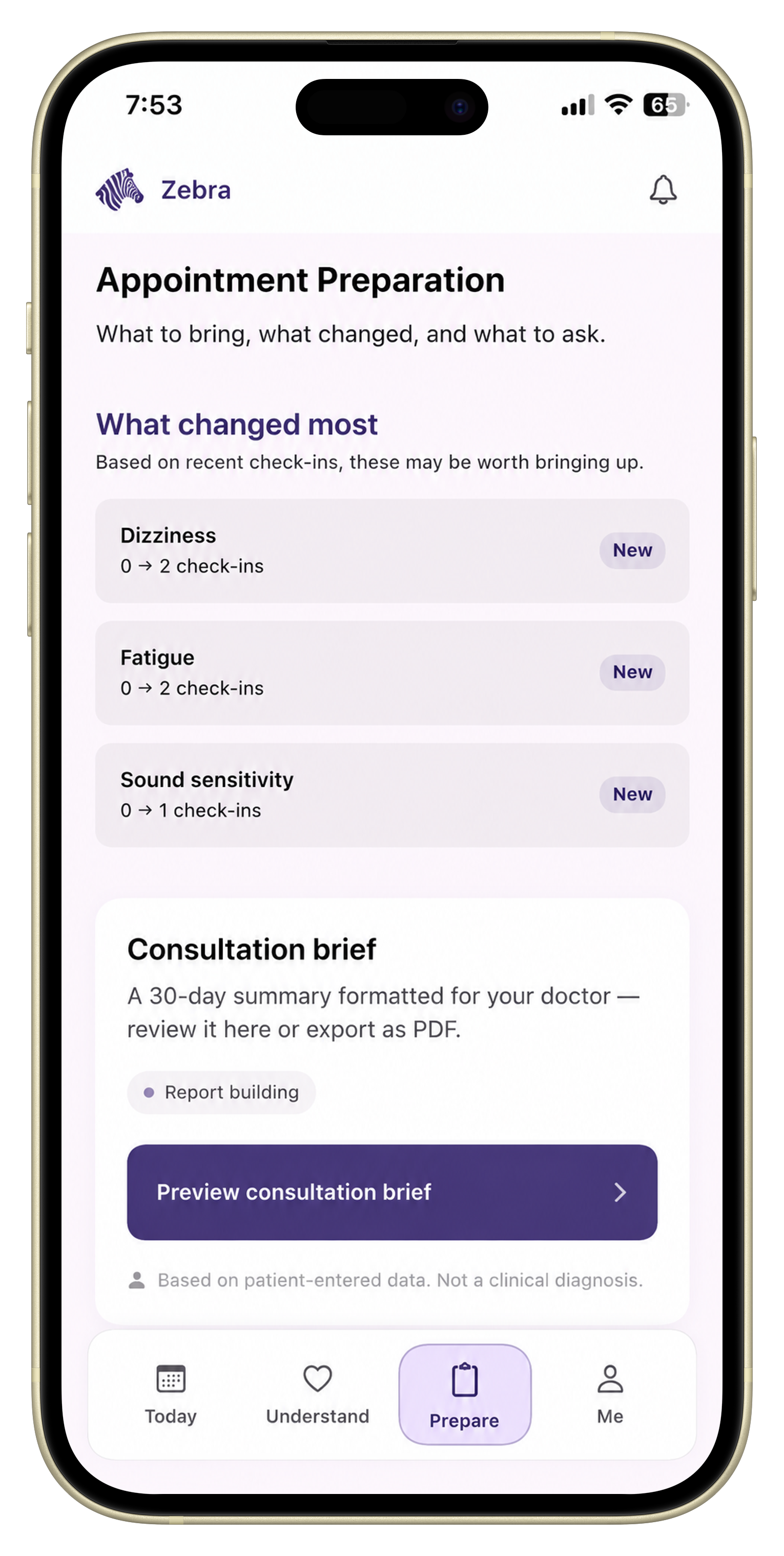
Zebra is built for the part that usually falls apart before the appointment: keeping symptoms, overlap context, daily function, and question prep in one record that still makes sense later.
If you want the report side of that workflow, What Is a Doctor-Ready Symptom Report? explains what a useful summary actually contains.
Track the symptoms most relevant to the visit, what changed recently, how symptoms affect daily function, overlap patterns, treatments or supports you tried, and the main questions you want answered.
No. Focus on the symptoms that are newest, most disruptive, most frequent, or most relevant to the reason you are seeing the specialist.
If dizziness, palpitations, orthostatic symptoms, fatigue, or other overlap issues are part of your picture, it is useful to include them in the same recent history.
Use a short structure: what changed, what affects function, what overlap symptoms matter, what you tried, and what you want help with.
A concise report or summary can make the visit easier because it helps you review patterns, questions, and recent changes without relying on memory alone.
Put this into practice
Use Zebra to keep your EDS symptom history, overlap context, and appointment questions in one doctor-ready record.
Download ZebraKnowledge hub
Keep exploring
A practical symptom checklist for preparing clearer notes before a doctor, specialist, or cardiology appointment.
A practical framework for tracking how symptoms affect daily life before a doctor appointment.
A practical guide to choosing a symptom tracker that helps before specialist and follow-up appointments.
Learn how to organize symptom history, medications, function changes, and questions into a clear doctor-visit summary.