How to Track Symptoms Before a Specialist Appointment
Learn what to track before a specialist appointment, including symptoms, flares, medications, function changes, and your top questions.

Zebra
For invisible chronic illness
Appointment Preparation
If you need a symptom tracker for doctor appointments, the best option is the one that helps you explain what changed, how often it happened, what affected daily life, and what questions still need answers. The point is not to collect perfect data. The point is to walk into the visit with a record you can actually use.
If you need a symptom tracker for doctor appointments, the best option is the one that helps you explain what changed, how often it happened, what affected daily life, and what questions still need answers. The point is not to collect perfect data. The point is to walk into the visit with a record you can actually use.
That matters even more when you are dealing with brain fog, fluctuating symptoms, overlapping conditions, or short specialist visits. A tracker is only useful if it reduces the work of preparing for the appointment instead of creating more of it.
A useful symptom tracker should make it easier to answer six practical questions:
If a tool cannot help you answer those questions quickly, it may still capture information, but it is not doing the full job of appointment preparation.
The strongest setup usually includes:
This is why a dedicated tracker often works better than scattered notes. It is not because notes are bad. It is because review is the hard part.
| Option | Best at | Hardest part before the visit |
|---|---|---|
| Notes app | Fast capture | Hard to review, compare, and summarize |
| Spreadsheet | Manual structure | More upkeep and more decisions |
| Symptom tracker | Ongoing structured history | Requires choosing one built for your use case |
If you want the broader version of that comparison, Symptom Tracker vs Notes App vs Spreadsheet goes deeper.
The best symptom tracker for daily logging is not always the best one for appointments.
For doctor visits, the better tool usually helps you preserve:
That means structure matters more than infinite customization. A blank note can hold everything, but it also asks you to organize everything while you are already tired.
Focus on the parts of your history that make the visit easier to discuss:
If you want a fuller checklist, What to Track Before a Specialist Appointment covers the most useful categories in more detail.
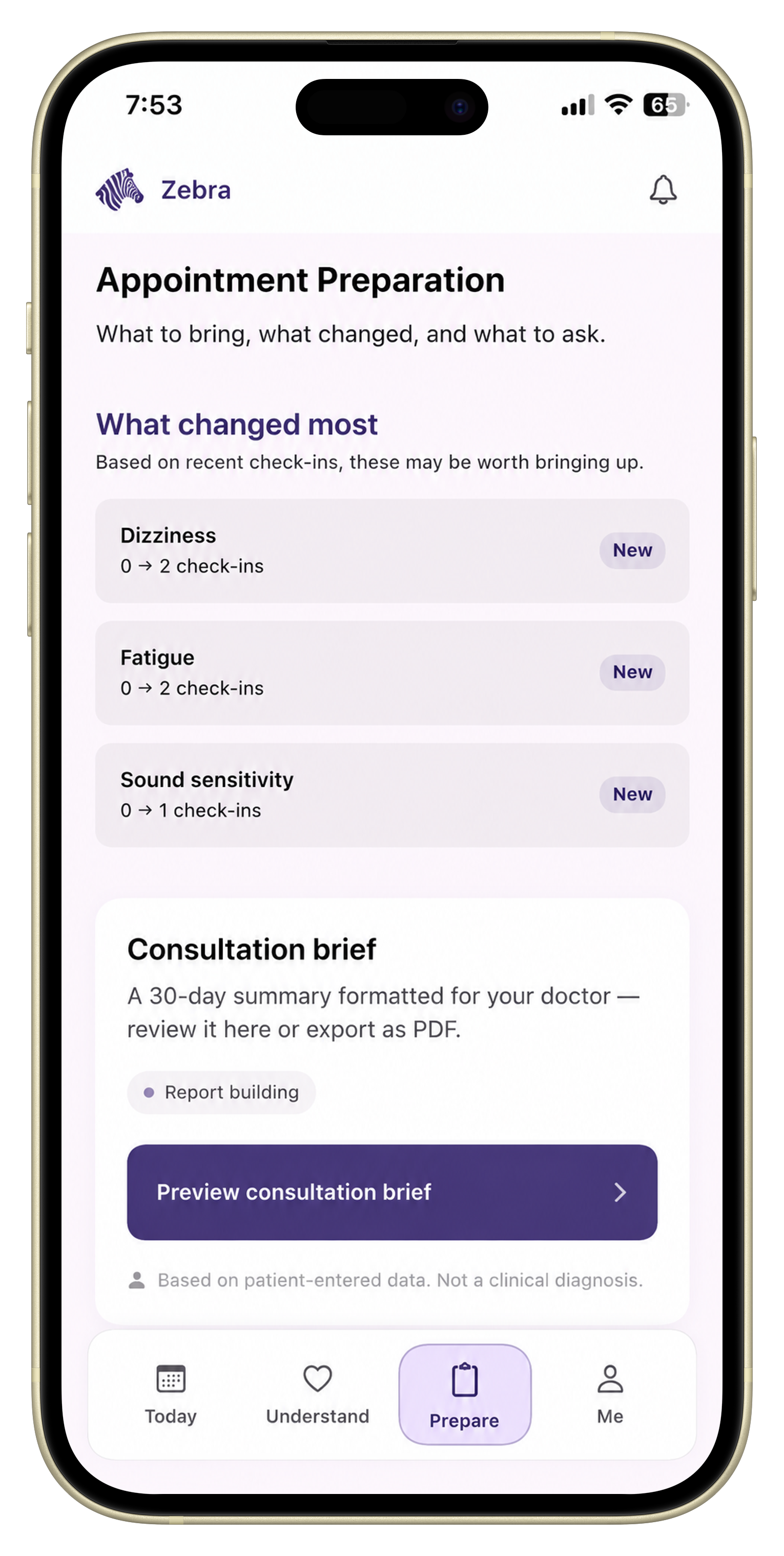
Zebra is built around the appointment-prep version of symptom tracking.
It keeps:
in one record so the final step is a doctor-ready symptom report, not a pile of disconnected entries.
That is especially useful for people tracking POTS, dysautonomia, EDS, or overlapping chronic illness where symptoms change by position, activity, or flare pattern and become harder to reconstruct later.
A weaker appointment-prep setup often has one of these problems:
That does not mean you need more data. It usually means you need less friction and more structure.
Choose a notes app if:
Choose a spreadsheet if:
Choose a dedicated symptom tracker if:
The best symptom tracker for doctor appointments is the one that helps you review the story before the visit starts. It should help you see what changed, preserve the context that explains those changes, and make it easier to ask better questions under pressure.
If your current system already does that, keep using it. If your current system leaves you rebuilding everything from memory before each appointment, a more structured tracker is likely worth it.
The most useful tracker includes symptoms, recent changes, flare patterns, function impact, medications, relevant measurements, and your top questions for the visit.
It can be enough for quick capture, but it is often harder to review patterns and summarize clearly under time pressure.
No. Focus on the symptoms most relevant to the visit, the clearest recent changes, and what affected daily life most.
A better tracker keeps symptom history structured, connects it to context like medications or orthostatic changes, and makes the final summary easier to review.
Put this into practice
Use Zebra to keep symptoms, orthostatic context, medications, and questions in one doctor-ready record.
Download ZebraKnowledge hub
Keep exploring
Learn what to track before a specialist appointment, including symptoms, flares, medications, function changes, and your top questions.
Learn how to organize symptom history, medications, function changes, and questions into a clear doctor-visit summary.
Learn how to summarize symptoms clearly for appointments without losing the details that matter most.
A practical specialist-appointment checklist for chronic illness, including symptom summaries, medications, questions, and timeline prep.